Announcements
Attaching Items to a Bib Record
Title isn’t everything! When attaching your item to a title record in the MSC, or when importing a new record from SmartPort, please check the full bib record for details to make sure your item matches. There are often multiple records for popular titles in different formats and title alone is not enough for a match. The Physical Description/MARC 300 tag is a great place to start: page count may not need to match (please see Copy Cataloging guidelines for details) but page count or volume in the 300 tag indicates a physical book; online resource, audio disc, or videodisc are not for non-print items. If you have a large print book, you may see large print listed in the title field but that is no longer cataloging rule to do so. Depending on the item and the age of the record, you may see the large print designation in the MARC 250, 300, 340, 650 or 655. So keep an eye out! The bib record should also be in English (even if the item is not). In general, scanning the entire bib record can be helpful to finding a match even if you are not an experienced cataloger.
3rd Party Vendors
A quick reminder to contact the MSC admins when you are considering purchasing add-on services from 3rd party vendors. Before adding a new service or signing a contract, please open a help desk ticket to consult with us about interoperability and a timeline for implementation. While many services provided by 3rd party library vendors are compatible with our ILS, some services are either are not compatible at all or may require additional configuration that has to be purchased separately. Additionally, while the MSC team are happy to help member libraries with individual configuration and 3rd party services, staff time is prioritized for projects that benefit the consortium as a whole; please get in touch with us to create a schedule in advance and avoid lengthy delays in implementing 3rd party products you are purchasing.
Patron Email Notices
In 2023 we began updating patron email hold and overdue notices with HTML formatting. The HTML formatting offers more modern notices with more customizable options. We are completing this update by reaching out directly to individual libraries who still have the text-based email notices.
Enterprise Maintenance Tuesday, January 14
Enterprise will be unavailable for approximately one hour for scheduled maintenance beginning Tuesday, January 14 at 2:00 am.
A notice will be posted on Enterprise informing patrons about this maintenance.
MSC Office Hours - Friday, 1/17
Join us Friday, 1/17 at either 10 am or 2 pm for MSC Office Hours. We will be available the whole hour to troubleshoot specific issues, help brainstorm how to get a new a project started, or answer any questions you may have! Drop in for a few minutes or stay for the whole time.
Meeting information can be found on ASPeN or simply join using this link.
Did You Know?
|
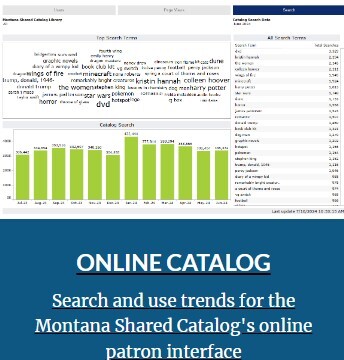
Statistics for our online catalog, Enterprise, are found in the MSC - Online Catalog dashboard.
There you will find three categories of stats: Users, Page Views, and Search. You can see stats for all MSC libraries or just your library.
|
|
 |
Upcoming Events
MSC Office Hours on Friday January 17 at 10 am & 2 pm
Highlighted KB Articles
|