|
Dear Jackson Community,
We are thrilled to have our students back in the building, and we are off to an amazing start! Our entire school community feels energized and ready for a wonderful year.
Throughout the day, students have been learning about and practicing our schoolwide PBIS ROAR expectations: Respect, Ownership, Aspirations, and Reflection. We look forward to celebrating our Tigers who demonstrate these qualities throughout the year.
We are also excited to see our families next week at Back-to-School Night on Wednesday, September 2, from 6:00–8:00 p.m.
Have a fabulous weekend!


Join us for Back to School Night on Wednesday, September 2, from 6:00–8:00 pm! Families will follow their student’s schedule to meet teachers and learn what’s ahead this year.
Please access your child’s schedule in ParentVUE SIS, bring a printout, or use the handwritten copy your student will bring home.
Parking will be limited, so please plan ahead!
Schedule:
-
5:00 pm – FLE Preview | Multipurpose Room
-
6:00–8:00 pm – Back to School Night
-
8:05 pm – PTA Meeting | Auditorium
We look forward to seeing our Jackson families!
Director of Student Services- Nick Zubieta- onzubieta@fcps.edu

https://jacksonms.fcps.edu/academics/school-supply-list

It's not too late to join the PTA on our Givebacks site!
Stay for the PTA meeting in the LJ auditorium on Back to School night. Every Tuesday in September is Spirit Night at Bartaco! Eat out between 5-7pm any Tuesday and mention Luther Jackson.
|

Check out our Quick Links for everything you need to know about LJ After Hours! You’ll find registration, FAQs, program information, and more all in one place.
⭐ MOST IMPORTANT: Register your student using this form
All students who plan to participate in after-school activities MUST be registered by a parent/guardian. If you have not registered your student yet, please make this your first step!
Registration does not require attendance. It simply ensures your student is ready to join whenever they'd like.
🏃 Planning to Run Cross Country?
If your student plans to participate in Cross Country this fall, please schedule their sports physical ASAP! A current physical is required to participate. Information about Cross Country and all of our interscholastic sports (volleyball, track & field) can be found here.
📅 Important Dates
-
September 14: Academic & Competition Clubs begin. Not sure what qualifies? Check out the FAQ in our Quick Links!
-
September 22: ALL after-school clubs and activities officially begin!
💻 NEW! LJ After Hours Schoology Page
We now have a dedicated LJ After Hours Schoology page available to parents, students, staff, and sponsors! This will be your go-to place throughout the year for activity schedules, attendance information, announcements, club updates, cancellations, and other important after-school information.
Our full schedule of activities, club offerings, and additional details will be posted by Back-to-School Night.
🐾 Check the Quick Links, get registered, and visit our LJ After Hours Schoology page to stay connected!

Digital Resource Consent Required
At Luther Jackson Middle School, our teachers use a variety of digital resources to support student learning, communication, and collaboration with students and families. Some of these digital resources require parent/guardian consent before students can access them.
Please complete the FCPS Digital Consent Form as soon as possible:
https://digitalconsent.fcps.edu/ispb/is01/r/pdcp/
For additional information and a list of the digital resources that require parent consent, visit:
https://www.fcps.edu/family-resources/technology/digital-resources/consent
Need technical assistance?
Contact the FCPS Parent Technology Help Desk at 833-921-3277 (833-921-FCPS). Support is available Monday–Friday, 7:00 a.m.–5:00 p.m.
|

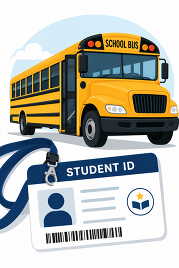
We have distributed student ID cards to all our students who ride the school bus or use FCPS transportation services.
ID cards should be worn or attached to your child’s backpack and brought to the bus each day. Ask your child to put their student ID card away until the end of the day.
Students who have student ID cards should begin tapping as they board and exit the bus. Only students who use FCPS transportation services will be provided with a student ID card at this time.
Transportation Patience and Safety
Thank you for your patience as we all get used to new routines this school year. We appreciate our families following Kiss and Ride procedures and being patient while waiting for your child’s bus.
If your child’s bus is delayed, you may access the Bus Delay Notification System or use the Here Comes the Bus mobile app to receive the delayed bus report. Email messages will be sent to announce significant bus delays. Please contact the Transportation Office at 703-446-2050 with any additional questions. For concerns after 5:30 p.m., contact the FCPS Office of Safety and Security at 571-423-2000.
Update your contact information in SIS ParentVUE to make sure you receive email messages about bus delays.
Bus drivers are checking in students and may need some extra time at each bus stop while they do this. The transportation team is working hard to minimize any potential delays.
Learn more about the bus navigation and student ID cards.
|
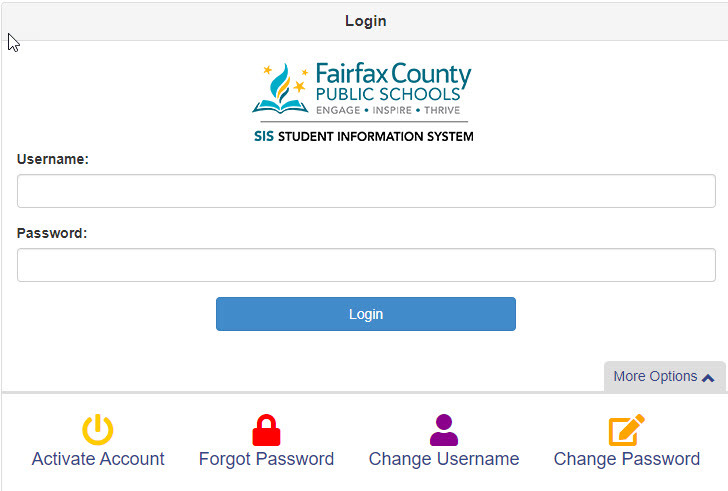 Everything You Need to Do in SIS ParentVUE
Are you working your way through back-to-school forms and checklists? Make sure you have a SIS ParentVUE account for your family and log in to find important forms and updates.
- Be among the first to know about weather closings, bus delays, and other critical communications from your school and FCPS by providing your cell phone number and email in ParentVUE. To update your contact information in ParentVUE, click the “Online Packets” tab in the upper right of the screen, then click the “Online Verification/Update” icon.
- Submit daylong absences by clicking “Report Absence.”
Remember to Complete Permission Forms for School Resources
Families can now easily grant consent for their children to access a variety of school resources through the Parent Digital Consent system. This online tool can be accessed using your SIS ParentVUE account login. Parents can easily opt their child in or out of a variety of resources, including online educational tools, school counseling services, and more.
Visit the Parent Digital Consent webpage to access the system. Watch this video to see how to use the tool.
 |
|
Get Ready for the New School Year With the FCPS App! 📱Simplify your back-to-school prep! Download the FCPS mobile app to check school calendars, breakfast/lunch menus, and school contacts all in one place with no login required. Plus, get quick access to ParentVUE, Schoology, and the bus app.Download the FCPS mobile app in the Apple App Store or Google Play, and make sure to subscribe to our school in the app settings. |
|
Explore School Meals in the New Menu Platform
Experience an easier way to view your child’s school menus using MealViewer:
- View what is being served each day.
- View the nutritional information for each meal.
- See if any specific allergens are being served.
- Get notified when your student’s favorite meal is being served.
Printable menus are always available on the Food and Nutrition Services webpage.
|
|
 |
FCPS News In case you missed it in FCPS This Week, the school division shared updates on the following topics:
* Everything You Need to Do in SIS ParentVUE
* Permission Forms for School Resources
*Follow Multiple Schools in the App
Read FCPS This Week to learn more about these topics. If you are not already receiving this weekly newsletter, please sign up today.
Novedades de FCPSEn caso de que no haya visto el boletín Esta Semana en FCPS, la división escolar compartió novedades sobre los siguientes temas:
- Todo lo que necesita hacer en SIS ParentVUE
- Formularios de autorización para recursos escolares
- Cómo seguir a varias escuelas en la aplicación móvil.
Lea Esta Semana en FCPS para que conozca más acerca de estos temas. Si aún no recibe este boletín semanal, por favor, suscríbase hoy.
|