
Accessing Technology
Fairfax County Public Schools sent this bulletin at 04/08/2020 03:12 PM EDTBlackboard 24/7 Information
As we prepare for Virtual Classes to begin on April 14th, we wanted to be sure you had the information you need to ensure your student can access Blackboard 24/7. Please make sure your child has access to their Blackboard 24/7 account prior to April 14th. You will receive additional information from your classroom teacher about which course to access. Your child can continue accessing FCPS Elementary resources during Spring Break.
Steps for Logging In
- Login to Blackboard 24/7
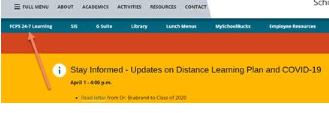
- Type https://woodburnes.fcps.edu (or www.fcps.edu) into your web browser
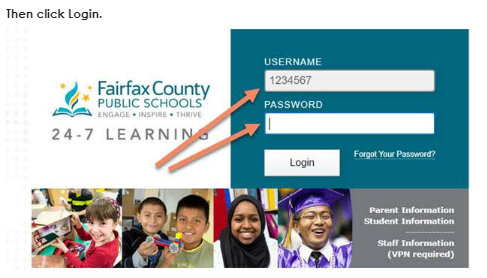
- Select FCPS 24-7 Learning and login using your student’s login information (Student ID # and password)
- You can also view a how-to video HERE
Parent Blackboard 24/7 Account *optional*
- Use your SIS Parent Vue accounts to login in to Blackboard 24/7 as described above
- Don’t have a SIS Parent vue account? Request one here https://itweb.fcps.edu/ParentView/index.cfm
Using Blackboard Collaborate
Teachers will be using a program called Blackboard Collaborate for daily class meetings and office hours. This is a video conferencing tool. It gives us the chance to meet with our entire class at one time. Links will be made available for students to access through Blackboard 24/7 on Tuesday, April 14th.
Step 1: Click on Teacher’s Link in Blackboard 24/7
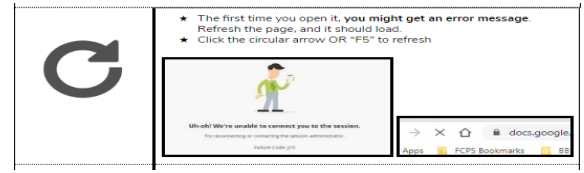
Step 2:
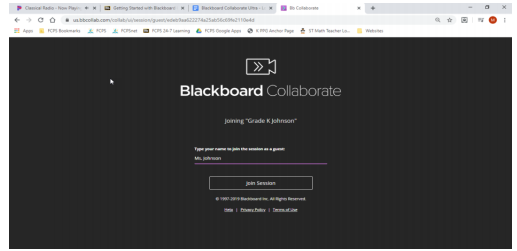
Step 3: Type your child’s name.
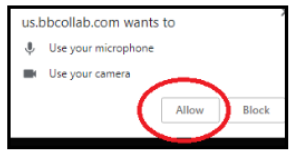
Step 4: You will need to pay attention to all the pop-ups like “allow mic” and “allow video.” If these don’t pop up, check to see if Chrome is blocking it.
Troubleshooting
- Having difficulty with your mic?
- If you are using a plugin mic:
- If plug-in, there is a dialog box that pops up as soon as you plug it in. Make sure it matches the type of device you are plugging in.
- Participants should not use video as it requires a lot of bandwidth.
- Mics should be muted unless in use.
IF you can’t get the link or the video to work there is a phone in option that your teacher will communicate with you.
Remind App
Some of our teachers have chosen to use the Remind App to communicate important items with parents via text during the school closure. Please be aware that you may receive a text directly from Remind asking if you would like to Join the class. This tool is for parents only.
Staying Connected
https://woodburnes.fcps.edu will continue to be updated during distance learning. Any new technology information will be featured as an announcement. You can also follow us @woodburnes on Facebook and Twitter for updates!