|
Virginia Department of Human Resource Management - July 2025 |
|
|
Department of Human Resource Management
Office of State Health Benefits
July 14, 2025
Update – COVA HealthAware – Premium Rewards Health Assessment NEW Instructions effective July 1, 2025
There is a new process to complete a COVA HealthAware health assessment effective 07/01/2025. To comply with the premium reward requirements employees should follow the steps below to complete their health assessment. Also, employees can access the COVA HealthAware Health Assessment Navigation Guide for the MyActiveHealth Mobile App and the Aetna Member Website for step-by-step instructions of how to access and complete their health assessment.
Accessing from your Aetna Member Website:
- Log in to your Aetna Member Website on www.aetna.com.
- Scroll down until you see “Member Resources” on the right side of the page and click on “Aetna Health Your Way” in this section
- First time logging in.
- Enter your information when prompted and accept the Terms and Conditions.
- You will be automatically prompted to begin your health assessment. Click on “Update my Health Assessment” to begin your assessment.
- After the first time logging in:
- Click “My Profile”.
- Click on your “MyHealth100 Score” next to your profile picture.
- Scroll down and click on the “Health Assessment” button.
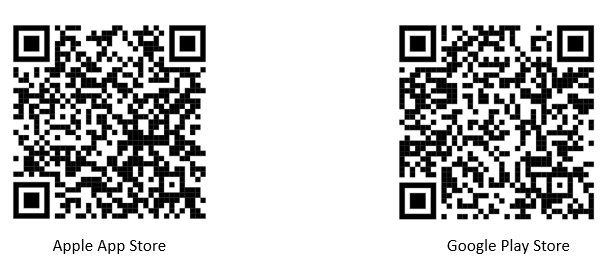
Accessing from your MyActiveHealth mobile app (see below for links/QR codes to download the app.
Please note: Due to existing security controls, access to the Google Play Store and Apple Store is restricted on state work phones unless an approved exception is in place. Please encourage members to register using their personal smart phones.
- Log in to the MyActiveHealth mobile app.
- First time logging in:
- Enter your information when prompted and accept the Terms and Conditions.
- You will be automatically prompted to begin your health assessment. Click on “Update my Health Assessment” to begin your assessment.
- After the first time logging in:
- Tap on the “Profile” tab.
- Tap on your “MyHealth100 Score” next to your profile picture.
- Scroll down and click on the “Health Assessment” button.
Encourage Members to Download the MyActiveHealth App
|
Apple App Store:
Please do not reply to this e-mail. You may send inquiries to the Office of Health Benefits mailbox at ohb@dhrm.virginia.gov.
|
|
Published by the Virginia Department of Human Resource Management
www.dhrm.virginia.gov
101 N. 14th Street, 12th Floor
Richmond, VA 23219 |
|
|
|