Cardinal Portal
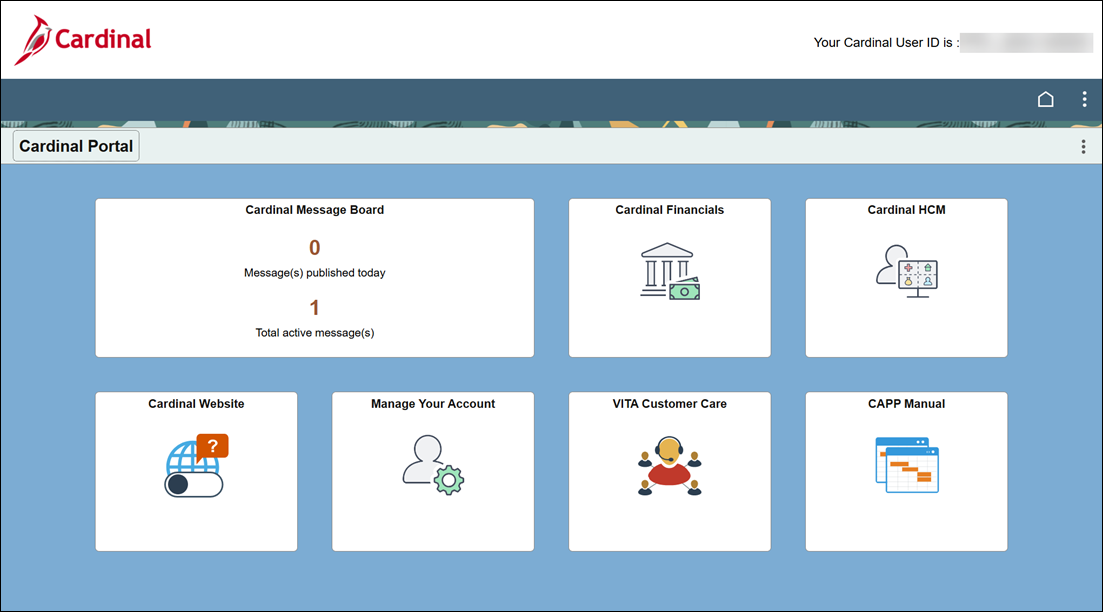
All Cardinal applications are accessible through the Cardinal Portal (my.cardinal.virginia.gov). From the Portal, you can access the application previously labeled "Human Capital Management," simply by clicking the Cardinal HCM tile. Use the Cardinal Financials tile to open the Financials application, while additional tiles link directly to the message board, account management, the Cardinal website, VITA Customer Care, and the CAPP Manual.
 Navigating in Cardinal Financials
The Cardinal Financials application now features a tile-based homepage, as well as menu navigation through the Navigation Bar (NavBar). Pages not accessible via a tile on the Financials homepage can be accessed through the NavBar.
The following steps and images illustrate the basics of the NavBar.
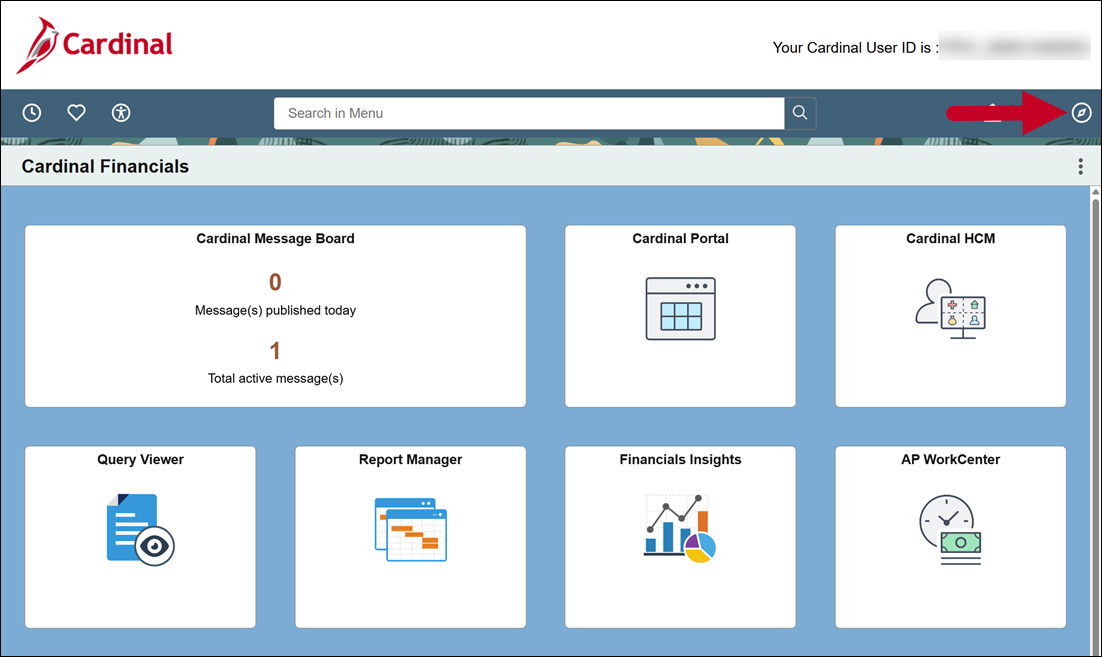
1. Locate the NavBar Icon
Click the NavBar (compass icon) in the top-right corner.
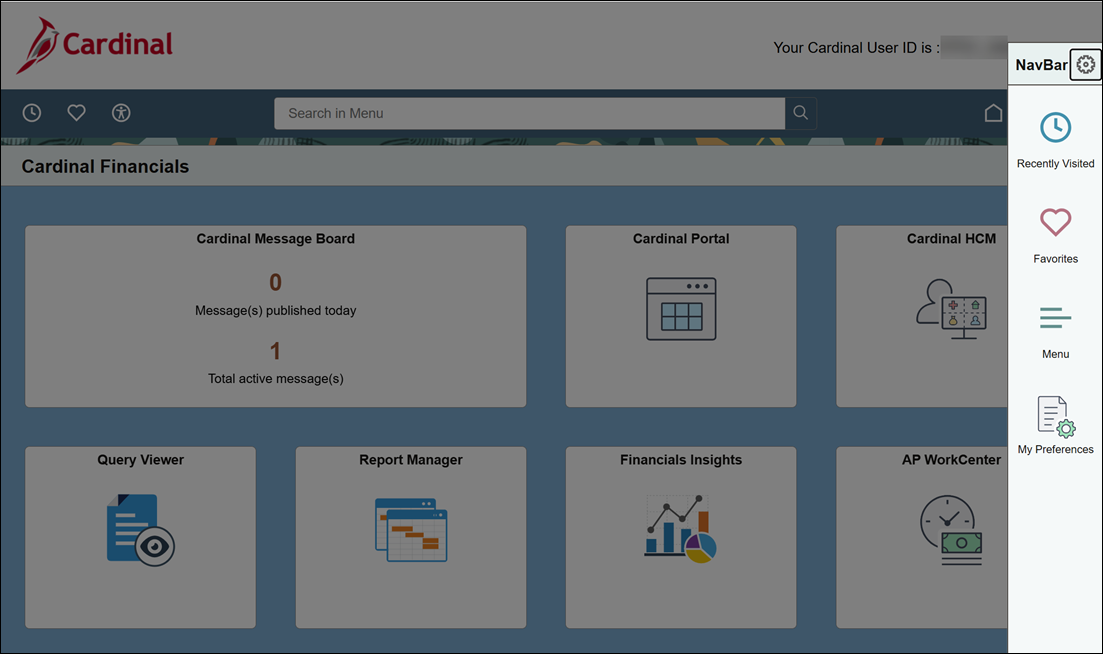
 2. Open the NavBar Panel
Once clicked, the panel slides open on the right side of your screen. Click the Menu list item inside the panel.
 3. View the Full Menu Structure
The menu will open, displaying the top-level application folders.
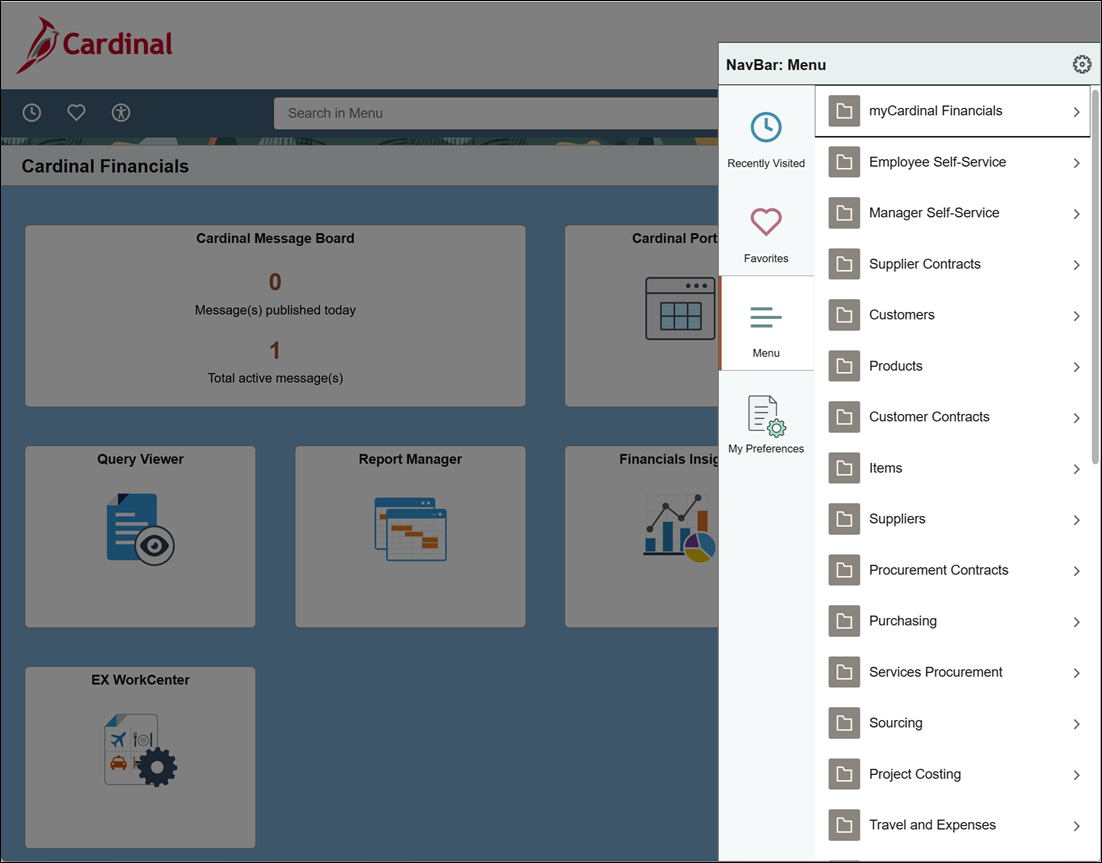 4. Drill Down to Your Page
Click any folder to expand its sub-menus and view the available pages.
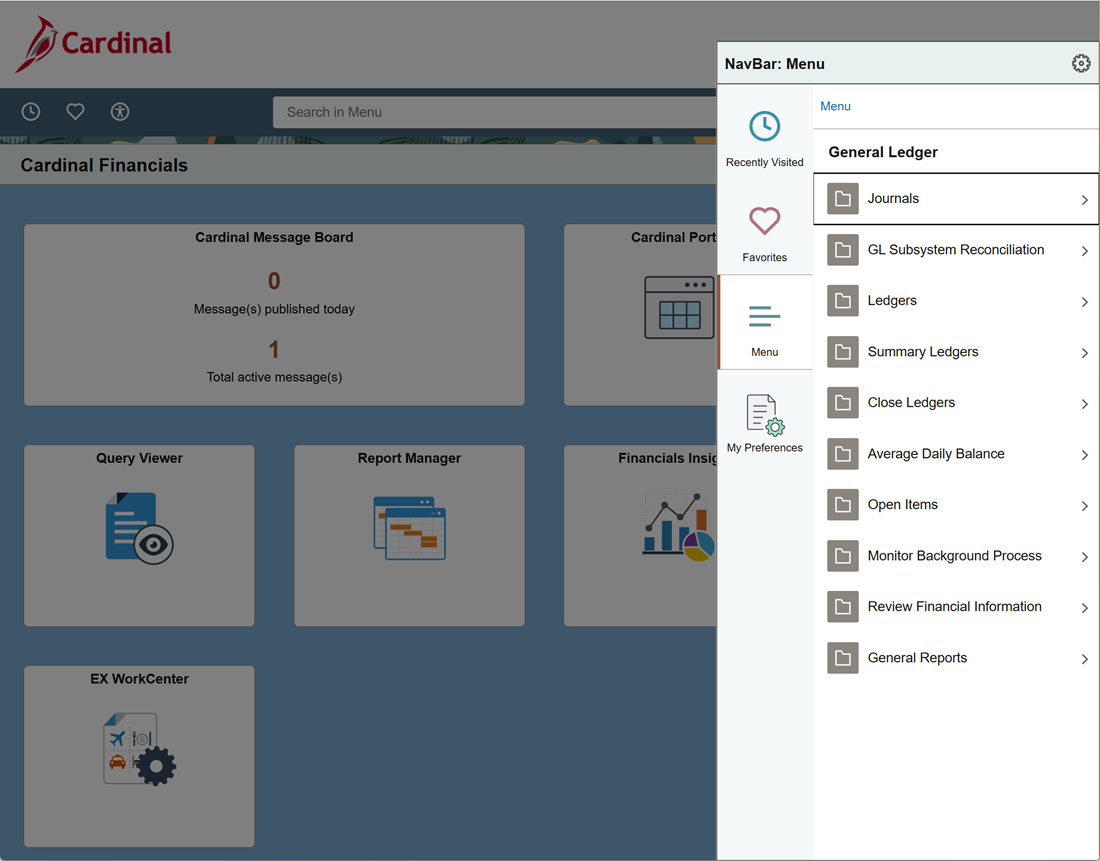 Once you click the page you wish to navigate to, the page will load on screen.
|


