ISSUE 2 | April 2015
 New and Improved VA Mobile Help Desk
The VA Mobile Help Desk has been enhanced to be more
user-friendly for our customers as well as our support staff. We hope you like
it!
One of the first things you will notice about the website is
the look and feel. It has been completely overhauled and made not only more user
friendly, but more mobile friendly too! Using the new VA Mobile Help Desk should be
significantly better than before.
-
Website:
Available 24/7 at this link.
-
Phone: Available weekdays, 8 a.m.-8 p.m. EST at (855)
500-2025.
|
VA Wants to Know: What Apps Do You Use Most Frequently?
To prioritize which apps to approve on the VA App Catalog, VA wants to know what clinical and nonclinical apps you are using for work-life balance, clinical workflow, communicating with patients and other uses. Share your favorites with VA and your peers on the VA Mobile Yammer group. Request access to the VA Mobile Yammer group by visiting this link.
 Join the Discussion on VA Mobile Yammer!
More than 1,000 of your colleagues are part of the VA Mobile Yammer group, dedicated to Mobile Health Provider Program participants. Join today and connect with your peers about tips and tricks for your mobile device, learn about upcoming program webinars and trainings and get updates about new VA-developed apps. Request access to the VA Mobile Yammer group by visiting this link.
|
Coming Soon, VA-Developed Mobile Health Apps
The Caring4Women Veterans and Preconception Care apps are part of a series of women’s health apps developed in collaboration with the Women's Health Services and Connected Health. These apps are targeted for release on the VA App Store in April, 2015.
 -
Caring4Women Veterans: Designed to increase VA and non-VA care team members’ awareness of, and access to, current information about the unique physical and mental health needs of women Veterans. More information, the Apple/Android download links and training materials can be found at this link.
|
 -
Preconception Care: Provides VA and non-VA care team members with information that supports integrating preconception care into primary care visits, thereby optimizing the health of women and their children. More information, the Apple/Android download links and training materials can be found at this link.
|
Learn how Dr. Sarah Niles from the Tomah VAMC and Dr. Philip Seton from the Washington DC VAMC are incorporating their devices into their clinical workflows. Read more success stories at this link.
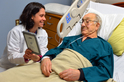 On-the-Go Provider Uses Mobile Technology to Enhance Care
Although Dr. Sarah Niles, of the Tomah VAMC, had only been a part of the Mobile Health Provider Program for a few months, she quickly found real value in her mobile device. "I have found the iPad very useful," she said. "For example, if I'm bedside with a patient who is not stable and I don’t want to leave them, I can now use my [tablet] to place orders directly to the laboratory, radiology, or pharmacy." Read more at this link.
|
 Mobile Devices Improve Treatment Approach for Patients with Infectious Diseases
In the wake of the recent Ebola crisis, the Washington DC VAMC took action to reduce exposure risks for VA clinical staff and patients by considering how to improve their approach for treating patients suspected of having highly transmissible infectious diseases. “We needed to find a better way to minimize exposure for our health care team when treating patients with potential, highly communicable, infectious diseases,” explained Dr. Philip Seton, Chief of the Emergency Department at the Washington DC VAMC. Read how at this link.
|
Software Updates
VA care team members now have access to thousands of mHealth apps through both the VA App Catalog and the Apple App Store. However, Apple will not allow access to the Apple App Store unless the device is updated to at least iOS 8.1. Keeping your device updated with the latest operating system updates is important. For instructions on how to update your device, please call the Help Desk at (855) 500-2025, weekdays, 8 a.m.-8 p.m. EST.
MyVeHU Campus Training
Protecting Privacy and Security While Using Apps from the Public App Store
All VA staff with a VA-issued mobile device are required to take a mandatory training about protecting privacy and ensuring information security awareness when using VA-furnished mobile devices and personal devices. The course – titled “Protecting Privacy and Security While Using Apps from the Public App Store” – is available on the MyVeHU Campus. You can search for it by title or by session code #14138. Registration is required.
What’s New with VA Mobile Apps for Providers?
VA has been field-testing VA-developed apps with VA care team members at 18 VA Medical Centers across the country as part of the VA Mobile Health Provider Program. Learn more about these apps and get an overview of what’s next for the program. On MyVeHU Campus search for “What’s New with VA Mobile Apps for Providers” or session code #15070. Registration is required.
VeHU Tube: Super Doctors!
Take three minutes and watch two quick videos to learn how “Super Doctors” Deyne Bentt and Neil Evans use mobile technology to enhance care delivery. Dr. Bentt’s video link is here and Dr. Evans’ video link is here. Registration is required.
Anyone can upload a short video on VeHU Tube, which you can create on your mobile device! We encourage you to upload your own video about how you are using mobile technology to care for your patients. Learn how to create and upload your video at this link and if you have any questions send an email: support@myvehucampus.com.
Harvard’s Ash Center names VA Mobile Health to Bright Ideas Program, VAntage Point, March 6, 2015
Health care for veterans goes high tech, Washington Post, March 8, 2015
[Back To Top]
View In Browser |