September Office Hours Recap
We hope you attended the September Office Hours but if not, the material below provides you with all the information.
Please continue the hard work you do for our Service members, Veterans, and beneficiaries. We believe the path to higher education begins with you!
September Office Hours Agenda
Topics covered:
Enrollment Manager (EM) FAQs and updates
- Reporting graduation or program completion
- Pre-set enrollments
- Review how long to wait to certify amendments for Chapter 33
- Process to remove personal emails from the 22-1999 print
- Process to update incorrect contact and/or biographical information
- How to change a student’s program
Graduate training for non-standard terms
- Review of guidance and the updated charts
Relevant links:
September Office Hours Recording
September Office Hours Presentation
Office Hours FAQ
EM Updates
The October 7, 2023, EM update implemented the following features:
- Ability to export search results into a .CSV file
- The .CSV file currently displays all the facility codes associated with a student, even though the filtering displays correctly in EM. To resolve this, filter the column “H” to show only the applicable facility codes and extensions.
- Ability to see the Objective, Program, Benefit Type, and Enrollment ID on the View Details page without going to the Print page
- Enhanced Enrollment tab user interface
- Updates to custom remarks
- Display correct prior credit values for On-The-Job Training (OJT), Apprenticeship (APP) and Flight Institutions in Form 22-1999 print PDF
- Display error message when you attempt to select multiple enrollments for Veteran Employment Through Technology Education Courses (VET TEC) facilities, since each enrollment must be submitted individually
- Update to Parent Facility field, so that when you add a guest student, withdrawn facilities no longer display
Graduate Training for Non-Standard Terms
Under Chapter 33, a SCO must report the minimum number of credit hours their academic regulations require to be considered full time, to ensure proper entitlement is charged and appropriate payments are released for any Rate of Pursuit (RoP).
Individually Defined Modifier (IDM): Terms outside of VA's definition of standard term (shorter or longer) that have a defined/published full time modifier. This number is entered in the TT/FT field in Enrollment Manager when reporting IDM terms.
Adjusted Full Time Modifier (Adj. FTM): Used to report non-standard graduate training when there is no published IDM for the non-standard term in question.
Reporting Procedures for Graduate Training Non-Standard Terms with IDMs
In all instances, SCOs must certify the actual credit hours applicable toward the student's program for all enrollment periods. If the SCO certifies a graduate student for a non-standard length term, VA will not convert the credit(s) certified to an equivalent credit hour (ECH).
Schools with IDMs for non-standard terms should:
- Report the published full time modifier for the IDM on the TT/FT field without any remarks.
Schools without published IDMs for non-standard terms should:
- Before calculating the Adj. FTM for subsequent use in determining RoP, first use the equation provided in the SCO handbook to determine the accurate number of weeks in the enrollment period.
- Next, use the appropriate full time modifier chart to identify the Adj. FTM, based on your institution’s published full time modifier and number of weeks in the term (as a result of the equation from the SCO Handbook), find the the Adj. FTM. Enter the resulting Adj. FTM from the chart in the TT/FT field without any remarks.
Note: To determine RoP in all scenarios involving graduate training for Chapter 33 enrollments, the number of credit hours certified will be divided by the number of credit hours required to be considered full time, based on the reported IDM or Adj. FTM, as applicable.
DEBT MANAGEMENT SUBMISSION TIPS
To reach DMC directly via AskVA regarding a school debt question on a specific account select the following:
Which category best describes your question?: “Veterans Affairs – Debt”
My inquiry is: “On behalf of a Veteran”
Your relationship to the Veteran: “School Certifying Official”
Selecting “General Question” under My Inquiry should only be used when requesting a current school debt list by facility code.
The above selections will ensure your debt question(s) will be reviewed in a timely manner by one of our subject matter specialists.
Upcoming Training Event(s): Office Hours
October Office Hours Registration
Please register for only one of the following sessions:
These sessions will apply towards the FY 24 training cycle.
Please Note: Adobe Connect Sessions are broadcast Eastern Time. You may have to account for time zone differences if your personal email calendar doesn’t calculate for those difference.
To view the dates for other upcoming webinars, please visit the National Training Team - Schools Training Calendar.
To receive communication messages from VA Education Service, you must be enrolled in GovDelivery (https://public.govdelivery.com/accounts/USVAVBA/subscriber/new).
Upcoming Training Events: SCO Onboarding Preparation (SCOOP)
 Starting in November, the National Training Team (NTT) - Schools is hosting live, interactive, non-mandatory trainings specifically for new SCOs (those with less than 18 months of experience), at NCD facilities, to address nuances in working with VA. Some of the topics that will be covered include:
- Recall Education Service organizational structure.
- Differentiate between beneficiary chapters.
- Illustrate a facility-specific certification through live, interactive demonstrations (role-play and polls).
- Provide best practices from experienced SCOs.
- Identify appropriate points of contacts to address their concerns.
- Reiterate training compliance.
Annual Training Requirements
**The training window for existing SCOs reopened on October 1st, 2024. You are now able to self-certify for the September Office Hours**
**For the new SCO training the NTT-S has been updating the trainings to remove references to VA-ONCE. The new SCO training will be available in November 2023**
The SCO Annual Training Requirement Video is available on the VBA YouTube Channel. This recording is extremely valuable for new SCOs and serves as a refresher for those who’ve been in their position for years. We do not cover the slides during Office Hours anymore.
Watch the SCO Annual Training Requirements video.
Relevant links:
Annual SCO training requirements
Fiscal Year 2024 Training Calendar
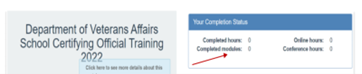
SCO Training Portal - You can view the number of training modules and training hours you’ve completed here in the Your Completion Status table.
FY 2024 New Certifying Official Training Requirements
- Institutions of Higher Learning = 10 Modules
- Non-College Degree Facilities = 10 Modules
- On-The-Job and Apprenticeship Training = 1 Module
- Vocational Flight Facilities = 1 Module
- High School Facilities = 1 Module
- Residency Facilities = 1 Module
FY 2024 Continuing Certifying Official Training Requirements
- Institutions of Higher Learning = 4 Modules
- Institutions of Higher Learning with Flight Programs = 4 Modules
- Institutions of Higher Learning with Non-College Degree Programs = 4 Modules
- Non-College Degree Programs Only = 4 Modules
- On-The-Job and Apprenticeship Training = 1 Module
- Vocational Flight Programs = 1 Module
- High School Programs = 1 Module
- Residency Programs = 1 Module
Self-Certification Steps
- Login to the SCO Annual Training Portal.
- Select “Office Hours”, “Conference Sessions”, or “Supplemental Training”.
- Locate the applicable session and select “Begin”.
- Verify you selected the correct training session, then select “continue”.
- Select “Yes, you completed 100%”, then select “Submit”.
- Enter the date of training, then select “Submit”.
- Download your results and retain the certificate.
Congratulations to all the new School Certifying Officials!
Additional SCO Resources
Relevant links:
School Certifying Official Handbook
School Certifying Officials Resource Page
GI Bill website
Enrollment Manager Frequently Asked Questions
Education Liaison Representative points of contact
State Approving Agencies points of contact
If you have questions or concerns about ID.me or Login.gov you must contact them directly. These systems are not managed by VA.
As a final reminder, you must be enrolled in GovDelivery in order to receive routine communications (such as webinar invites or these office hour notes) from Education Service.
If you have outstanding questions related to this material or if you have suggestions on future Office Hour presentation topics, please contact the National Training Team – Schools.
Respectfully,
National Training Team (NTT) – Schools
|