|
|
Thank you for joining our April Office Hours where we provided additional information on Enrollment Manager (EM). During the sessions, we referenced numerous resources to support your understanding of the changes and communicate information to beneficiaries. Below, you will find a summary of resources outlined during the sessions as well as reminders.
This document, and many others will continue to provide you with all the resources you need to continue using EM effectively. Please save all the hyperlinked material below for accessing.
Attention SCOs: On May 10, 2023, Adobe Connect released update 12.3 which will have to be installed prior to the next Office Hours. If the system prompts you to run the 30 second update, please do so when logging in.
|
|
Update on the Customer Experience Group (CEG)

Since its inception, the Customer Experience Group (CEG) assisted over 3,500 SCOs experiencing Enrollment Manager (EM) difficulties. The CEG began transition during the month of May. Continued support will be provided by the School Certifying Official (SCO) Hotline. We are training SCO Hotline representatives to ensure they can continue to provide the assistance you need as you continue to learn how to best navigate Enrollment Manager.
For immediate support with Enrollment Manager, contact the Education Call Center (ECC) to be routed to the SCO Hotline at 1-888-442-4551. The ECC is available 8 a.m. – 7 p.m. ET with SCO Hotline representatives available 8 a.m. - 5 p.m. CT. If you’re located outside of the United States, please call 001-918-5678.
|
April Office Hours agenda

During April Office Hours, the following was covered:
- Paper-Based enrollments no longer accepted after June 6, 2023
- How to log into the Enrollment Manager Platform Portal with Login.gov
- Reviewing fields in the student profile
- Changing benefits and/or programs
- How to submit a second 1010 Certification
- Updated guidance: Draft enrollments
- Updated guidance: Submitting multiple actions for Ch33
- Enrollment Manager recent enhancements
To view the recorded video, please go here.
To review the PPT presentation, please go here.
Office Hours questions and answers
Topics other than EM are answered on the Office Hours FAQ page which is also key word searchable. For questions specific to EM, visit the Enrollment Manager frequently asked questions (FAQs) page.
|
Help with accessing Enrollment Manager
We highly encourage you to bookmark the VA Education Platform Portal: https://iam.education.va.gov
Review and bookmark the user guide, quick start guides (NCD, IHL, OJT/APP, and Flight), FAQs and other instructional resources for details about accessing the system.
Please note, if you have questions or concerns about ID.me or Login.gov you must contact them directly. These systems are not managed by the Department of Veterans Affairs (VA).
ID.me Help Center
Login.gov Support
|
No more paper-based enrollments after June 5
Enrollment certifications submitted by paper or PDF will not be accepted after June 5, 2023. Enrollment Manager is the required method for submitting enrollments, and all enrollments must be submitted through the new system starting on June 6.
We will announce special procedures and training for SCOs transitioning from paper to EM. Be on the lookout for the announcement via GovDelivery. We’ll also cover this during the May Office Hours.
|
EM how-to: Reviewing fields in the student profile

If a student's biographical information or contact information is incorrect in Enrollment Manager, you should not make any changes/corrections. If the information is incorrect, students should be alerted and asked to contact the ECC or submit a request using AskVA.gov to make the corrections/changes.
Examples of biographical information are:
- First name
- Last name
- Date of birth
Examples of contact information include:
- Mobile phone number
- Home phone number
- Email address
- Mailing address
|
EM how-to: changing benefits and programs

When a new program or benefit is added, it will be the program/benefit on future submissions. It does not change any past submissions.
Once an enrollment is submitted, the program and benefit type are set. Amending the term will NOT change the benefit or program.
If the incorrect benefit or program was submitted, terminate the term, change the benefit or program and then submit the enrollment under the correct benefit or program.
Once an enrollment or amendment is submitted for a specific program, the program is locked and can no longer be edited.
|
Updated guidance: draft enrollments

Currently, draft enrollments in Enrollment Manager cannot be deleted. In the meantime, if you have drafted enrollments that will not be submitted, please leave them in the queue. Do not submit any enrollments with information you do not want to be processed as this can result in overpayments and students incurring debts
We will continue to update features in the system to improve your experience.
|
Updated guidance for completing actions in EM: submitting multiple actions for Chapter 33

Previously we shared that SCOs no longer have to wait 24 hours to submit and amend enrollments. The following provides updated guidance on the proper steps to follow:
- If you submitted original enrollments at multiple facility codes for the same student, please wait 10 minutes before amending any of these enrollments. For example, you can submit enrollments for your primary facility and an extension campus, then wait at least 10 minutes to correct either enrollment.
-
If you are submitting enrollments for a student at separate facilities for the same dates, please either submit the enrollments at extension campuses using manually entered dates or create separate pre-set enrollments for each extension campus.
|
SCO annual training requirements
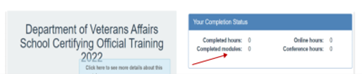
You can view the number of modules completed in the SCO Training Portal in the Your Completion Status table. For more information about SCO training requirements, please visit this webpage.
Annual training requirements for fiscal year 2023
These Facility types require 4 Modules of Training
- Institutions of Higher Learning (IHL)
- Non-College Degree Programs – Only (NCD)
- IHLs with NCDs
- IHL with Flight Programs
These Facility types require 1 Module of Training
- On-The-Job & Apprenticeship Training (OJT & APP)
- Vocational Flight Programs
- High School Programs
- Residency Programs
New Certifying Official Training Requirements
- Institutions of Higher Learning = 10 Modules
- Non-College Degree Facilities = 10 Modules
- OJT & App Facilities = 1 Module
- Vocational Flight Facilities = 1 Module
- High School & Residency Facilities = 1 Module
Self-Certification Steps
- Login to the SCO Annual Training Portal
- Select Office Hours, Conference Sessions, or Supplemental Training
- Locate the applicable Session and Click “Begin”
- Verify you selected the correct Training Session, then click “continue”
- Click “Yes” you completed 100%, then click “Submit”
- Enter the Date of Training, then click “Submit”
- Download your results and retain the Certificate
|
Additional SCO Resources
May Office Hours
Thank you for your continued collaboration and patience as we continue to make improvements within Enrollment Manager to ensure that it meets your needs.
Respectfully
National Training Team – Schools
|
|
 |
|
US Department of Veterans Affairs
Veterans Benefits Administration
1-888-442-4551, TDD: 711
|

Do you have a question or concern about your benefits? Contact us safely and securely with Ask VA!
|
|
|
|
|
|