Improved eXPRS Help Guides
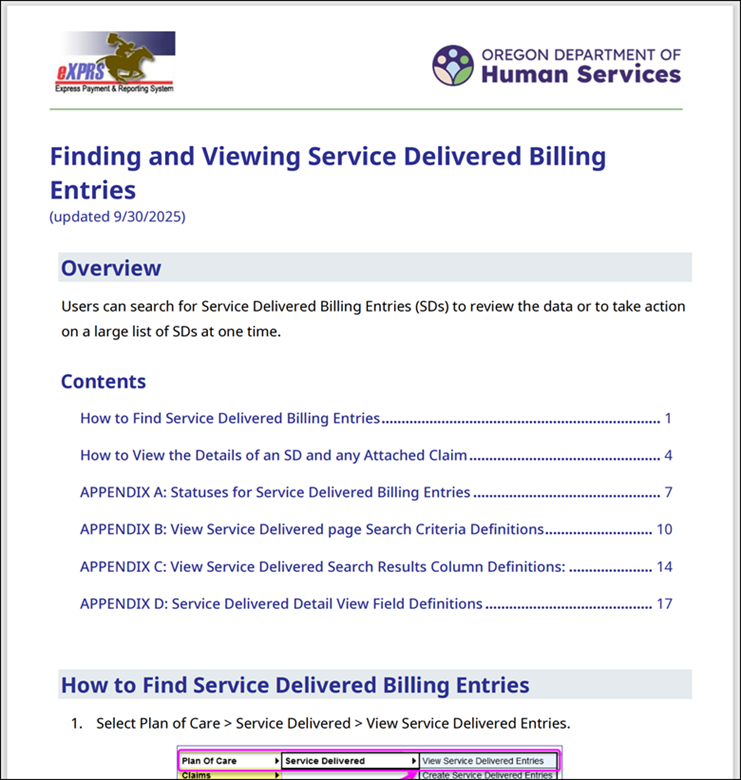
During the last few months, we've worked on implementing a new template for our eXPRS Help Guides. This new template features big improvements, such as a modern layout that offers a consistent use of headings, bullet points, and white space.
Longer documents now contain a table of contents that is clearly structured and hyperlinked, allowing users to jump directly to the section they need.
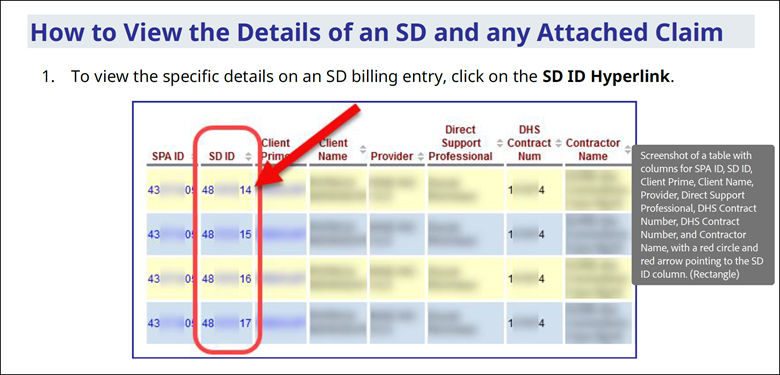
Accessibility has been a major focus in the redesign. The new template uses consistent font sizes and high contrast text, and an effort is made to use plain language to make the instructions more approachable. Additionally, Alternative Text (also called Alt-text) is now included on all pictures within the new format. This alt-text is compatible with screen readers.
We've completed these revisions for several guides on the Help Menu, with more revisions being worked on now. As part of these updates, many hyperlinks have also been changed. This means that if you have any bookmarks to specific help guides saved in your web browser, you may need to update them.
To see a complete list of the changes, select the PDF List of Changes button near the bottom of this email.
Claims Submitted 12 Months After Service Date
In the eXPRS 2025.1 and 2025.2 releases, changes were made to ensure that Service Delivered Billing Entries that were submitted 12 months after the service date move to Denied status. This was done to comply with rules for Medicaid billing.
Now, with this release, claims that are submitted 12 months after the service date will move to Denied status instead of Suspended Status. This change primarily impacts claims that are created directly by the provider, such as RFFS Claims created by a Case Management Entity or a Foster Care Provider's claims.
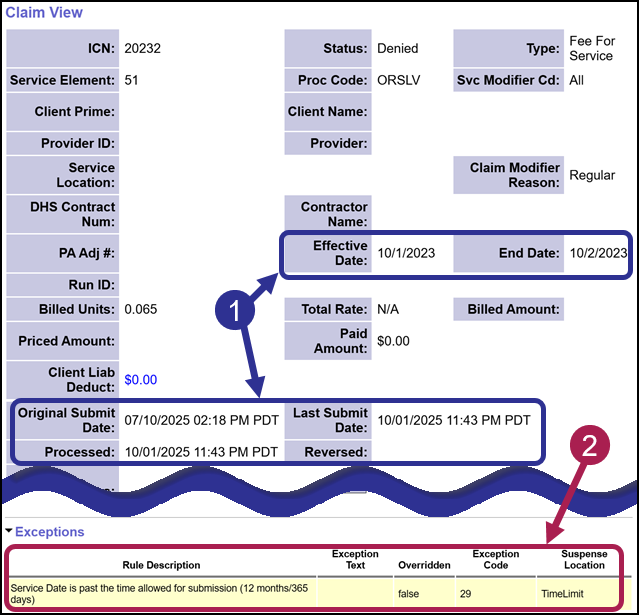
Shown below, the claim was created and originally submitted on 7/10/2025, but was billed for dates in October 2023. Because the service date is more than 12 months after the service date, the claim was denied for the new Exception Code 29.
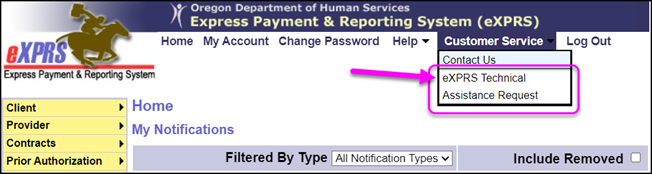
If any provider's Claims are Denied for this reason and they believe it should be paid, they can submit a Technical Assistance Request. The provider can share details about the claim and why they believe it should be paid. The request will be reviewed and ODDS staff will determine if it should be paid.
Because Claims that are denied for the reason above may later be copied, we've added new fields to the View Claim page, including:
-
Replaced Claim: Displays the ID # of original Denied Claim that the current Claim was copied from (if applicable).
-
Replaced By Claim: Displays the ID #s of claims that were created by the copy process (if applicable).
-
Copied: This field is available to specific users, and will display either True or False. If the Claim has not been copied, it will display as "False". If the Claim has been copied, it will display as "True".
PSW Provider Training Tracking Improvements
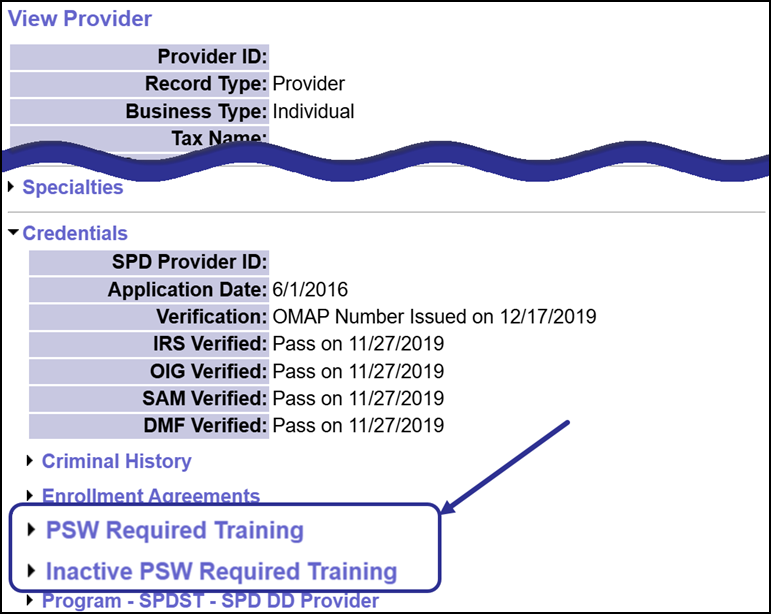
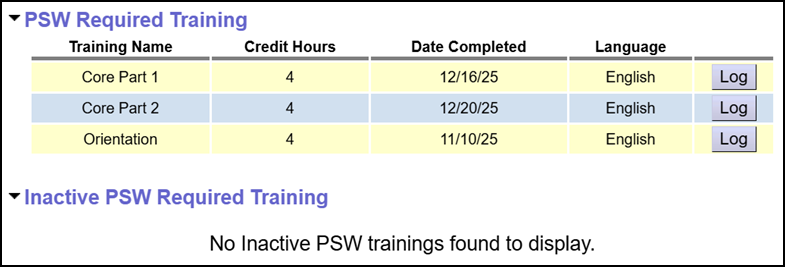
Changes have been made to the View Provider page for PSWs that make their training data easier to read! The information previously under the PSW Required Training section has been broken into two sections:
- PSW Required Training
- Inactive PSW Required Training
Under the PSW Required Training section, active training records now include a new Training Name column, and credit hours are displayed in a simplified format. Outdated columns like Score and Due By have been removed to reduce clutter.
Trainings are also now grouped by category and sorted by completion date, helping users quickly find what they need.
Under the new Inactive PSW Required Training, trainings that are no longer active due to expiration or deletion will appear. Each record includes the reason for inactivation and the date it occurred.
Oregon Needs Assessment
New Assessment Type: Adoption
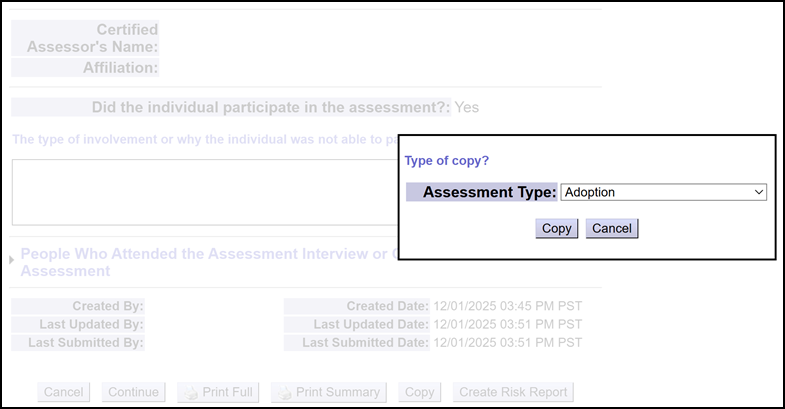
When a child receiving DD services is adopted, a new record and new Prime Number is created for them. Then, information from their pre-adoptive record in eXPRS is manually copied to their post-adoptive record. This process includes manually copying their current Oregon Needs Assessment to the new record.
To improve this process, a new Oregon Needs Assessment type called "Adoption" has been added to eXPRS. This new Assessment Type is available only to specific ODDS staff, and is designed to create a copy of the active Oregon Needs Assessment from the pre-adoptive to the post-adoptive record.
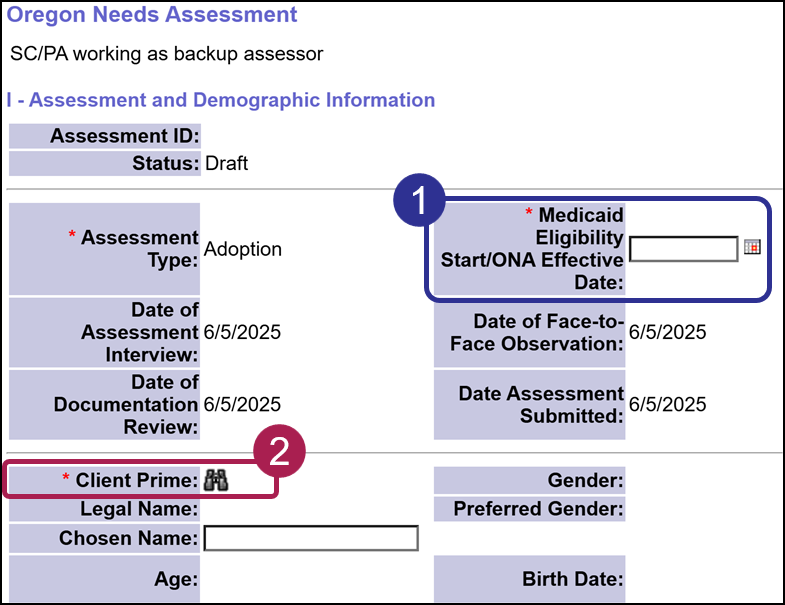
Oregon Needs Assessments that are created using this Adoption Type will retain the Expiration Date from the original assessment. These assessments also contain a field which allows the user to enter an Oregon Needs Assessment Effective Date, eliminating any gap between the individual's Medicaid Eligibility and the Level of Care and Service Group Start Dates.
This type of Assessment includes a few new features, such as binoculars to search for and connect the Adoption Assessment to the new Prime Number.
New Search Criteria Added to Oregon Needs Assessment Pages
Two new fields have been added to various Oregon Needs Assessment pages:
-
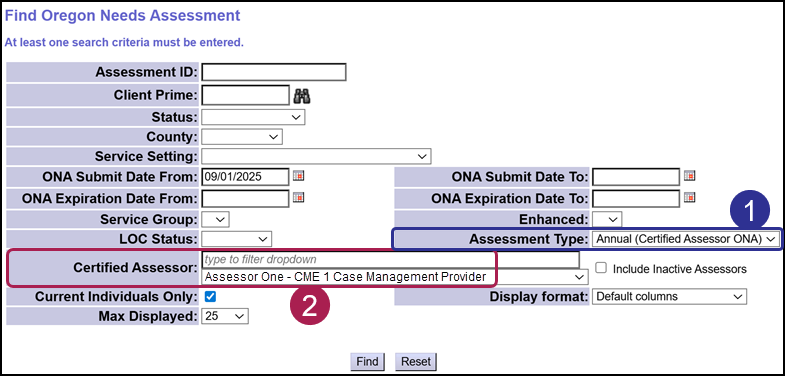
Certified Assessor - Added to the Find Oregon Needs Assessment Page
-
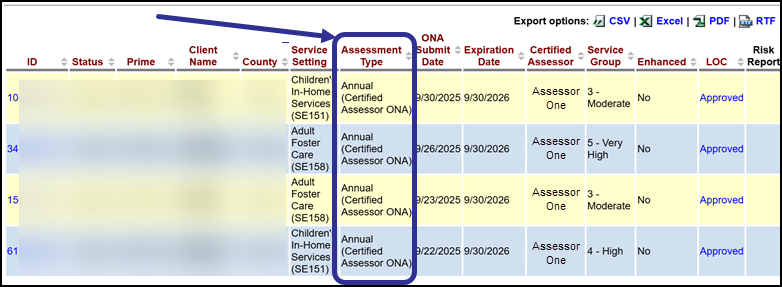
Assessment Type - Added to the Find Oregon Needs Assessment Page and the ONA Reports Page
Using the Certified Assessor field allows you to search for ONAs completed by a specific assessor. You can type in the box to find an assessor, or you can select the dropdown menu to look for and choose an assessor. You also have the option to include inactive assessors too!
Using the Assessment Type field allows you to narrow your results to a specific type of assessment, such as 'Adoption', 'Annual', or 'Risk Change'. This makes it easier to narrow down results based on the nature of the assessment, without needing to open each record.
Lastly, the search results also include the ability to sort by the Assessment Type column, and all the exportable formats have been updated to include this data.
Other Changes
CIIS Transfer Checkbox
Resolved an issue that required the "CIIS Transfer?" checkbox to be clicked in order to save an authorization.
PSW Providers
Updated the eXPRS Desktop > PSW Steps table to show similar information to what is on the View Provider page when the PSW has a Step from Aging and People with Disabilities (APD).
Suspended Day Support Activity Claims
Resolved an issue resulting in suspended claims for OR542 due to mid-month Provider Credential splits.
Help Menu Changes and Release Notes
Click the buttons below to see the full Release Notes and all the updates to the Help Menu.
|