|
Hello Case Management Entity Staff,
In last month’s newsletter, we introduced the upcoming changes to the eXPRS Plan of Care that begin April 1st, 2026. The focus of that newsletter was on how an individual's Service Group is now being used to determine the number of in-home hours they will have on their Individual Support Plan.
Also, we covered how eXPRS will now compare the number of In-Home hours that are entered on an individual’s Plan of Care with the hours that are available in their Service Group. This is called In-Home Hours Service Group Validation.
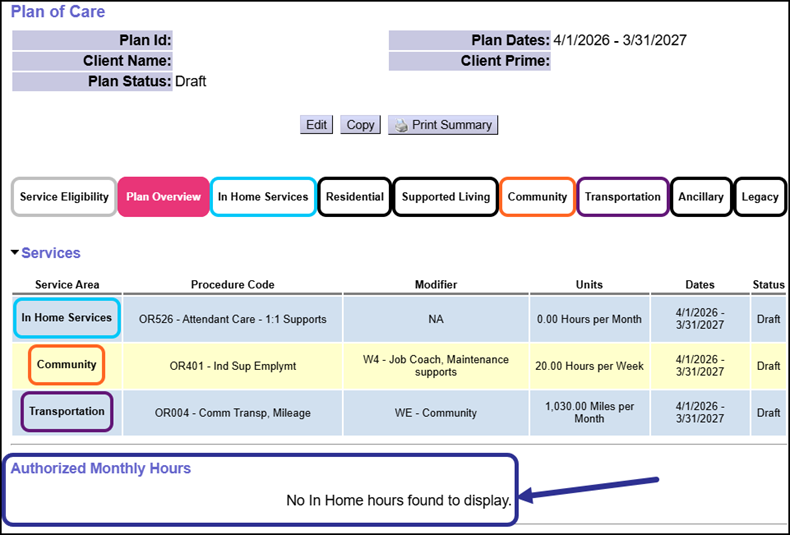
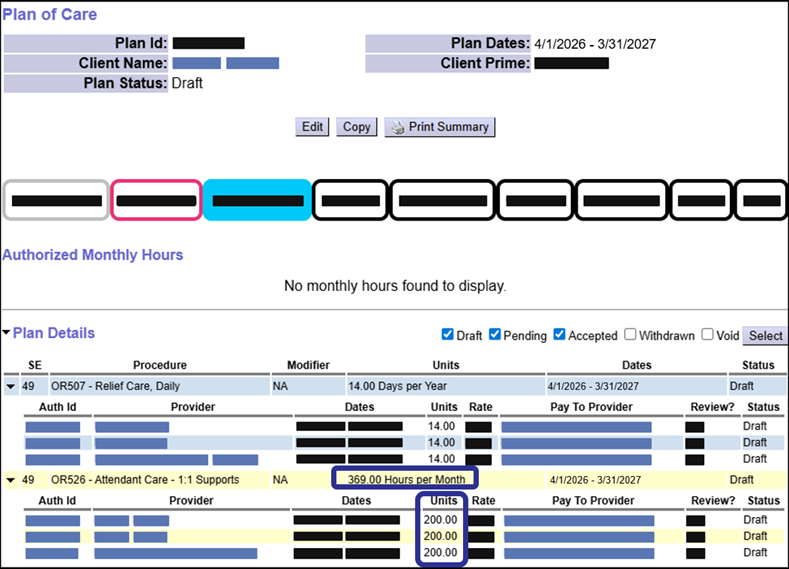
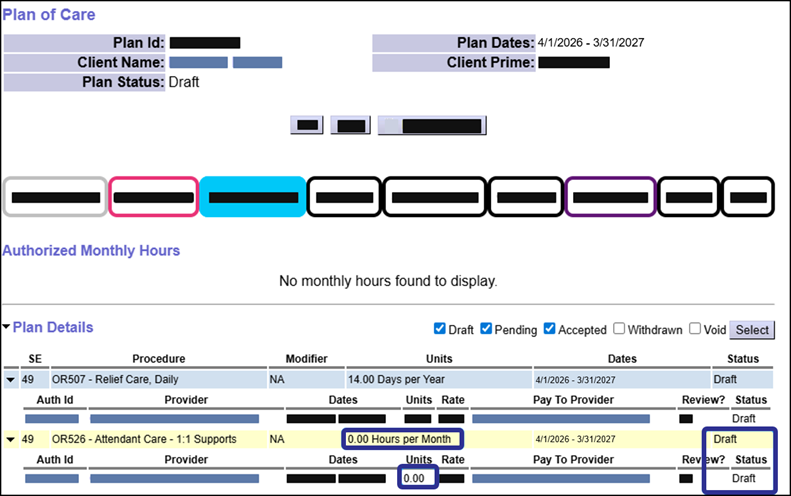
In this month's newsletter, we’ll take a closer look at the new Authorized Monthly Hours section in the Plan of Care, and also show changes to creating and copying plans.
Remember, these changes only apply to Plans of Care that have a start date that is on or after April 1, 2026.
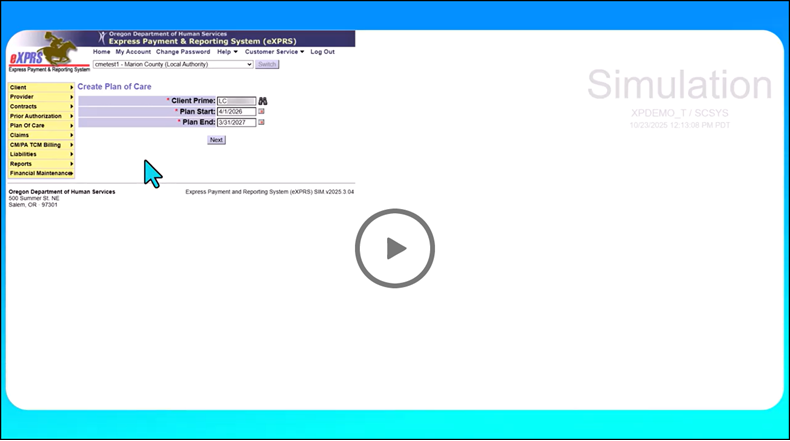
Watch the video and read on to learn more!
The Authorized Monthly Hours Section: How Does it Work?
Currently, an individual's in-home hours limit is entered into the Monthly Assessed Attendant Care Hours section of the Plan of Care. Now, for Plans of Care with a Start Date that is on or after April 1st, 2026, the new Authorized Monthly Hours section will appear.
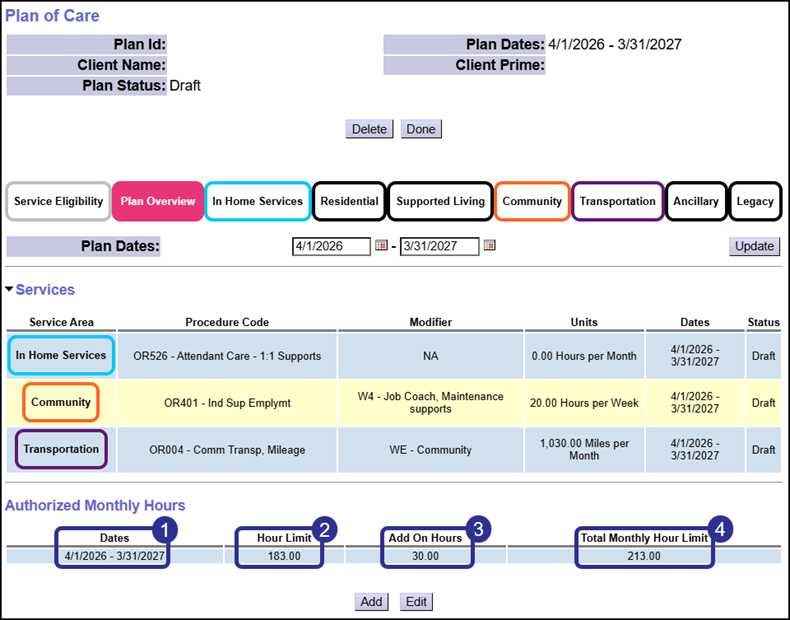
In this section, one or more hour segments can be entered on the individual's Plan of Care. As highlighted above, each hour segment entered consists of 4 key fields:
-
(1) Dates - This field allows entry of a date range for the hour segment. eXPRS will validate the hour limits of Plan Lines and Service Prior Authorizations against the hour segment of the same date.
-
(2) Hour Limit - This field allows entry of an hour limit up to the Service Group maximum. For example, in the screenshot above, the adult is in Service Group 3, so the maximum hours that can be entered is 183.
-
(3) Add On Hours - This field cannot be edited directly by a Case Management Entity user. Instead, when an individual gets an ODDS approved exception for an increase to their in-home hours, state staff will enter an In-Home Hours Add On. The number of hours entered on the Add On will automatically appear in this field.
-
(4) Total Monthly Hours Limit - This field displays the total of the Hour Limit field and the Add On Hours field. For example, in the screenshot above, the individual has 183 hours entered and an Add On of 30 hours. So the total amount of hours for that segment is 213.
How Do Add Ons Affect the Authorized Monthly Hours?
Add Ons are a feature in eXPRS that are used to document that an individual has received an ODDS approved exception. Add Ons can be for increased rates, increased staffing ratios, and for an increased number of In-Home Hours.
In-Home hours exceptions allow an individual to access a higher number of hours that is above the maximum allowed by their ONA Service Group for a specific date range.
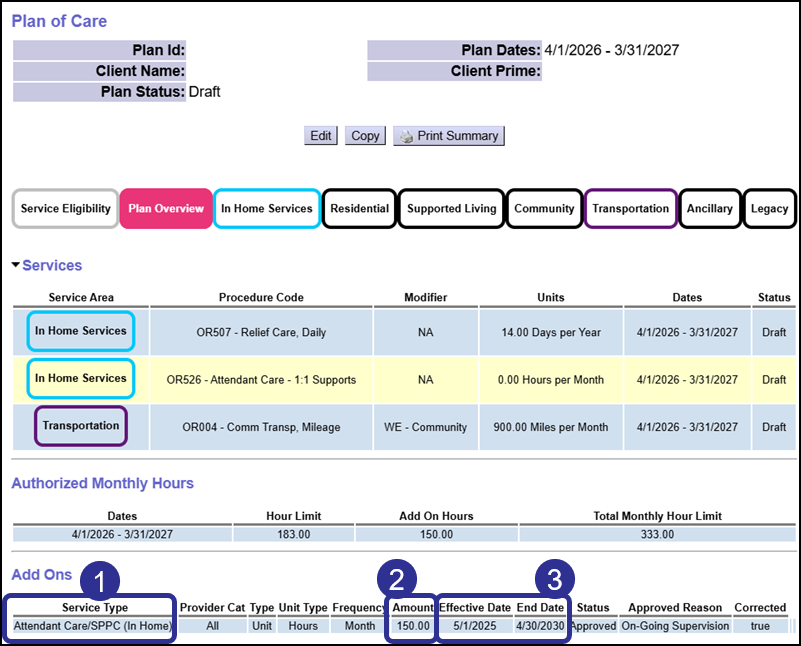
In the screenshot above, the following key fields are highlighted:
-
(1) Service Type: This field displays the type of service that the add on applies to. When an In-Home Hours Add On is entered by ODDS Staff, the option Attendant Care/SPPC (In Home) will display. This option applies to all services that use In-Home Attendant Care Hours.
-
(2) Amount: When an individual has an In-home Hour Add On, the amount field will display the number of hours granted as part of the Approved ODDS Exception. For example, shown above, the individual is receiving 150 additional hours as part of the approval.
-
(3) Effective Date and End Date: These date fields establish how long the individual's exception is effective. Exceptions can be effective for a maximum of three years for children, or five years for an adult.
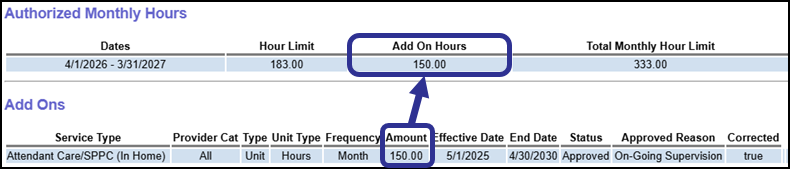
When an individual has an In-Home Hours add on, then the amount of hours will appear in the Add On Hours field for any Authorized Monthly Hours segments for that date range.
For example, in the screenshot below, we see an add on for 150 hours that is active from 5/1/2025 to 4/30/2030. Because the Authorized Monthly Hours segment is active from 4/1/2026 - 3/31/2027, the Add On Hours field displays 150.00.
 This feature allows for ODDS and Case Management Entities to enter and manage the number of Authorized Monthly Hours an individual will receive at the overall plan level. Then, the Case Management Entity can further manage the hours using Plan Lines and Service Prior Authorizations.
How are a Child's Summer and School Hours Entered?
Children from age 4 to age 17 that are in a Service Group have access to two different amounts of hours:
-
School Hours: This is an amount of hours available to the child while they are in school (September 1st to May 31st)
-
Summer Hours: This is an amount of hours available to the child while they are not in school (June 1st to August 31st)
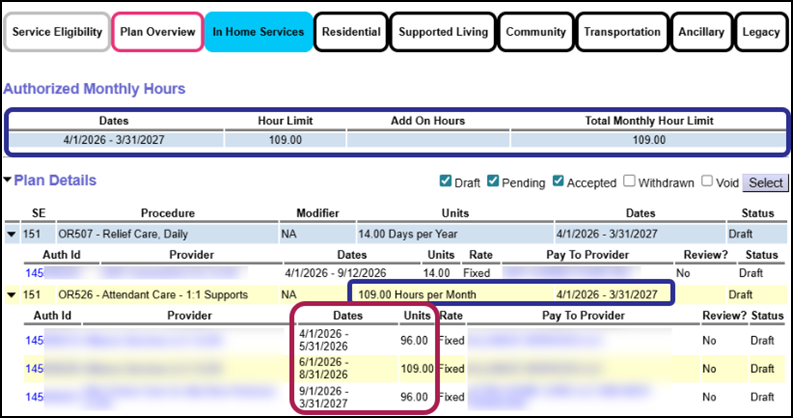
In order to simplify the process of creating and copying Plans of Care, CME Staff can choose to enter the higher Summer Hour value into the Authorized Monthly Hours > Hour Limit field for the entire plan year.
For example, in the screenshot below, the child is in Service Group 3. The blue highlights show that the Case Management Entity user has entered an hour segment of 109 hours and an OR526 Plan Line with an hour limit of 109. However, highlighted in red are three Service Prior Authorizations that authorize different hour limits for the school and summer timeframes.
This approach can simplify the process for managing a school-age child's Authorized Monthly Hour Segments, Plan Lines and Service Prior Authorizations.
|