|
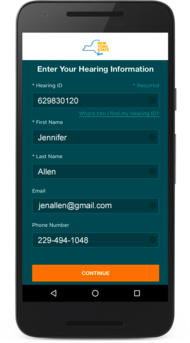
The New York State Workers’ Compensation Board is pleased to introduce the virtual hearings app (WCB VHC) for Android devices!
Checking in through the app can be done whether you are appearing virtually or are an attorney/licensed representative appearing in person at a Board location.
Go to the virtual hearings app or
- Open the Google Play Store
- Search "WCB VHC" with the icon below
- Select "Install"
Claimant and attorney guides are available for the virtual hearings mobile app.
- You may use other apps or features of your phone while waiting for a hearing to be called. In your app settings, make sure notifications are on for the virtual hearings app. This will ensure you receive notifications when your hearing is called. Keep your virtual hearings app open in the background. If you log out of the virtual hearings app, you will not receive notifications to join your hearings.
- If you accidentally navigate away from the app during a hearing, you will not be disconnected from the hearing.
- If a hearing is recalled, it will automatically display as “to be recalled” in the waiting room where you will wait for the hearing to be called again.
- While in a hearing, rotating your mobile device to landscape mode will enlarge the videos of the other participants in your hearing.
- The app is not compatible with Huawei devices.
Visit the virtual hearings app webpage.
If you have any questions using the virtual hearings app, please contact WCB Customer Support at wcbcustomersupport@wcb.ny.gov or 844-337-6305, option 5.
|