Home Base Maintenance Weekend Canceled
NCDPI’s leadership team has decided to postpone the PowerSchool upgrade and cancel this month’s maintenance weekend that was scheduled to run from today, March 20, until Monday, March 23. All Home Base systems will remain up and available for access.
NC Remote Learning Resources and Information
If you were unable to attend the Remote Learning Resources and Information webinar March 13 or would like a refresher of all resources shared, the recording is now available on the NEW North Carolina Remote Learning Resources & Information Website. This site is filled with a wide range of helpful information, from instructional and leadership resources to information about learning management systems, mobile devices, and much, much more! Check it out!
Some website highlights:
Instructional Resources
Online Pedagogy
Learning Management Systems
Shared Resources
FAQs
Canvas Teacher Spotlight
School: Duplin County Schools
Contributor: Jennifer Armstrong
Topic: Blueprint Courses
|
|
 |

During the 2018-19 school year, Duplin County Schools developed a cohort of middle-grades math teachers to create Canvas blueprint courses to help support math instruction across the district.
Jennifer Armstrong, along with other teachers, developed the sixth-grade math curriculum. The blueprint course is a baseline model that contains lessons, activities, practice problems and assessments for each math unit. Teachers are encouraged to take the Canvas blueprint course and make it their own. Teachers can publish the content they need for a lesson or add their own content as well as use MasteryPaths.
Here are Jennifer’s thoughts on using the math blueprint in a blended learning environment.
“Using Canvas has allowed me to improve student experiences with personalized learning in my math classroom by changing the way instruction looks. Canvas allows me to engage students by using technology at a time when students have cellphones, video games and computers in their everyday lives. Most classrooms no longer have textbooks available for each student. Canvas gives me the option of each student having what they need, when they need it.
"Lessons and assignments are readily available each day through Canvas modules when students enter the room. My students come to class, get their computer and begin working on their bell ringer. Absent students can look on the weekly module to get their missed assignments, class notes and practice problems. Students can work on assignments at home if they need to complete work they did not complete in class. Quickly graded quizzes let me know which students may need remediation in a small group setting. Feedback can be given to students by using the inbox or by commenting directly on a question or student response. After remediation, students can retake a quiz because I can set it for multiple attempts.
"I spend less time grading papers and more time teaching students.”
|
Rich Content Editor Auto Save
In pages with one Rich Content Editor, the editor autosaves any content that hasn’t yet been submitted for up to one hour. This feature helps users retain new or edited content that may otherwise be lost from inadvertent browser reloads, loss of internet connection, or navigating to another window.
Syllabus Course Summary Visibility
This change allows instructors to remove the auto-generated Course Summary section in the Syllabus.
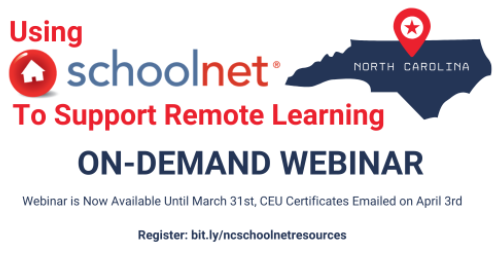
Learn How to Use Schoolnet to Support Remote Learning
This one hour on-demand webinar shows you how to use Schoolnet for online and offline remote learning. The webinar is available until March 31, and all participants will receive a CEU Certificate for .1 CEU on Friday, April 3. This webinar is recommended for Digital Learning Competency Credit, however, credit approval is up to the local Public School Unit.
Participants should follow all local policies to receive credit.
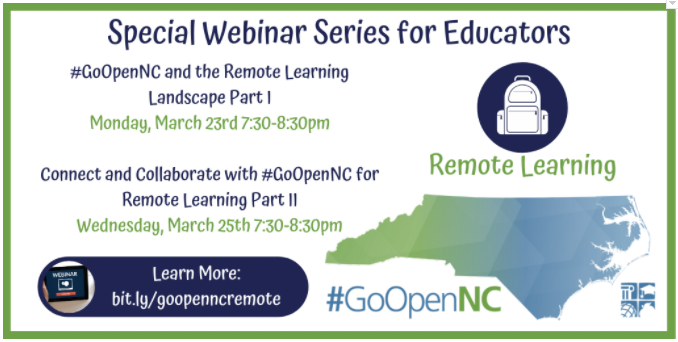
Join us March 23 and 25 to Explore Remote Learning Resources and Strategies with #GoOpenNC
#GoOpenNC is our statewide platform for educators to share, curate and create openly licensed supplemental instructional materials aligned to the North Carolina Standard Course of Study.
This two-part webinar series will explore the current landscape surrounding remote learning and how we can leverage #GoOpenNC to connect and share materials. Attending a live webinar will earn .1 CEU credit that is recommended for Digital Learning Competency Credit (credit approval is subject to local Public School Unit approval).
#GoOpenNC and the Remote Learning Landscape Part I
Monday, March 23, 7:30-8:30 p.m.
Part I Webinar Registration Link
Connect and Collaborate with #GoOpenNC for Remote Learning Part II
Wednesday, March 25, 7:30-8:30 p.m.
Part II Webinar Registration Link
Looking for Online PD for Credit?
NC administrators and staff may be researching NC Educator Effectiveness System PD for staff to complete while working remotely.
(NOTE: Not all staff have access to this online system.)
Educator Effectiveness Department created courses listed here: rt3nc.org.
These online professional modules offered are only available in NCDPI’s Home Base/NCEES system. Access to online PD in the Home Base system is managed through an active employee ID number, so only current employees of North Carolina Public School Districts or Charter Schools can access Home Base. There is no mechanism for others to access and use the educator resources housed in the Home Base system.
What follows are suggested PD Resource for CEU credits, not all are endorsed by NCDPI, DPI Open Access Modules are free, the rest may have a cost. Staff should follow local PSU guidelines and policies to obtain approval for taking PD outside that offered locally.
Click Here: Online Professional Development for Credit Resources
Upcoming NCEES webinars
All webinars will be recorded and posted to the Webinar Series document located on http://bit.ly/ncees-support. Click the titles below to register. Please click the following link to review the full list and to access past recorded sessions: NCEES 2019-2020 Webinars.
New Assistant Principal NCEES Series
Note: Participants only register one time for all 10 meetings included in the series.
Description: New assistant principals need consistent ongoing support.
An agenda outline for all 10 meetings has been developed. In addition, participants will have a link to submit questions and ideas for topics/ standards to be covered throughout the series. Link to agenda outline for all 10 meetings
Target Audience: NEW Assistant Principals
Remaining Dates: March 31, April 28, May 26, June 16
Time: 4-5 p.m.
Recordings: August, September, October, December, January, February, Presentations: August, September, October, December, January, February
Providing Quality Feedback and the Summative Evaluation -- NEW!!--please share with other Evaluators and Observers!
Description: The Summative Evaluation can be difficult and stressful for the evaluator and the teacher. This webinar will provide ways to use the language of the Professional Teaching Standards and the rubric to ensure accurate and reliable feedback as it relates to the Summative Evaluation. Effective feedback strategies and practices will be discussed, including how to structure a framework/protocol for the Summary Evaluation Conference.
Recording and Presentation
EOY for Teachers/ Support Staff Recording and Presentation
EOY for Principals Recording and Presentation
|

Learning.com Online Learning Resources
In the wake of the recent school closure and the need to prepare students for online learning, Learnining.com has put together resources for Learning.com users.
Since EasyTech is a web-based, K-8 digital literacy solution delivered through the Learning.com curriculum platform, learning can happen anywhere! Check out the resources below that will help your students safely continue digital literacy instruction at home.
EasyTech Plug & Play
Have you tried EasyTech Plug & Play? EasyTech Plug & Play contains only the auto-scored items from EasyTech by Grade. You can assign individual items or the entire unit to your students in just a few clicks. For more information on assigning curriculum, navigate to https://support.learning.com/teacher-guides/assigning-and-managing-curriculum/ or watch the short video found here: https://vimeo.com/70881961.
Online Safety
With students potentially spending more time online during the next few weeks, it is important that they keep safe online. Below you will find a list of lessons that can be facilitated virtually and/or by parents/guardians, too!
Parent Guides
The parent guide below covers several online safety topics to better equip parents with the information and resources needed to be “Web aware.” Specifically, this resource covers information about netiquette, cell phone safety, filtering, addictive behavior, intellectual property, ergonomics, online privacy, predators, and virus protection.
FAQs
Learning.com Webinars
Greetings Learners! We're excited to announce upcoming Learning.com virtual professional learning opportunities. The webinar topics offered are based on feedback received from the Learning.com Needs Assessment Survey. Please visit http://bit.ly/lcomspringpd2020 for the event invitation and registration links.
Participants may qualify for .1 CEU (equals to 1 hour of credit) for participating in the LIVE session of each webinar. We encourage you to share this invitation.
|
 2020 CCES Conference Cancelled
More information is being shared with participants and exhibitors about their registration payments and methods of reimbursement. For inquiries, please contact us at cces@dpi.nc.gov.
|