|
Using the enlarge feature when viewing materials on the Montana History Portal can reveal details users may have previously missed.
Scroll below to see the difference in quality when using the enlarge feature instead of simply zooming in on a photo.
Step 1
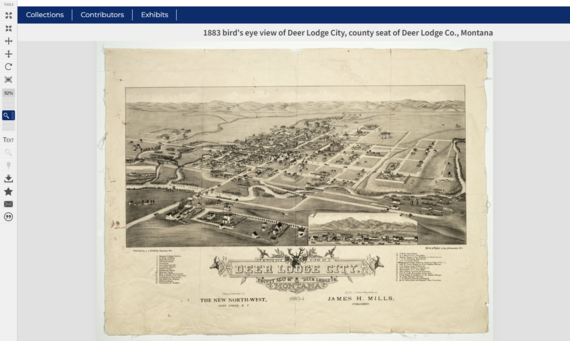
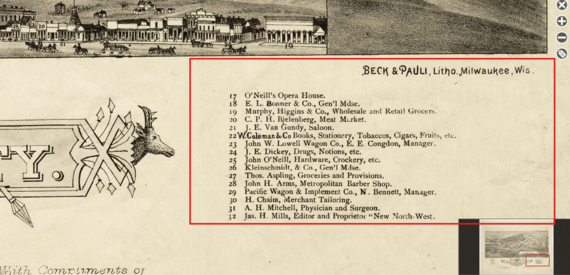
Take this map of Deer Lodge above as an example.
Step 2
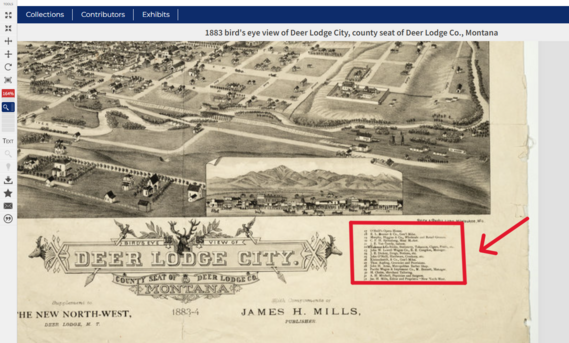
Notice how simply zooming in on the image leaves the text blurry and nearly impossible to read. When zooming in, it doesn't matter how far a user goes, the image/text will remain blurry.
Step 3
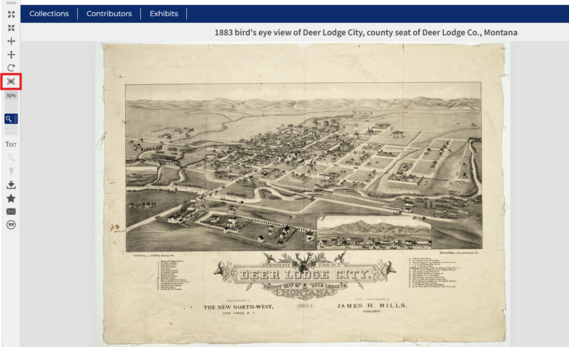
Now let's try hitting the enlarge feature. Go to the tool bar on the left and click the enlarge icon (see red box in the image above) if it's available.
Step 4
After hitting the enlarge icon, zoom in anywhere on the image and notice how the image clarity improves enough to review the document in its entirety.
Use this tool to help your exploration of documents, images, and other materials on MHP!

Questions?
Contact
Jennifer Birnel, Montana History Portal Director
Zachary Coe, MHP Digital Content Specialist
The Montana History Portal provides weekly updates on new content as well as tips on how to successfully navigate the site through this Highlights newsletter. You can find back issues on the "Highlights" newsletter section of our website.
Library and museum staff members are encouraged to share these with patrons by linking our content and programs on your website and sharing through social media.
|