Temporary WiFi Login Process for Android OS Users
Capitol Corridor Joint Powers Authority sent this bulletin at 07/09/2025 11:45 AM PDTIf you’re an Android OS user trying to log on to the Capitol Corridor onboard WiFi, please use this temporary log on process below. We are working to resolve the issues for Android OS users and following this process should not introduce any risks:
When you select the “yourtrainwifi” SSID on an Android device, the captive portal may display the following page:
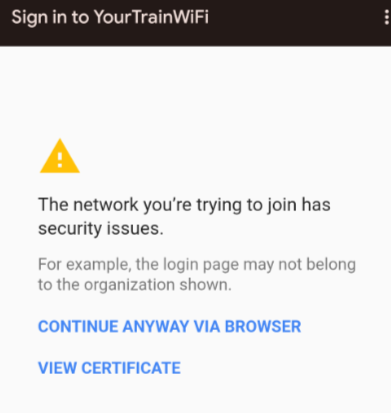
Please click the “CONTINUE ANYWAY VIA BROWSER”
This may take you to the following page, where you should click “advanced” and then scroll to the bottom of your page and click “Proceed to yourtrainwifi.com (unsafe)”.
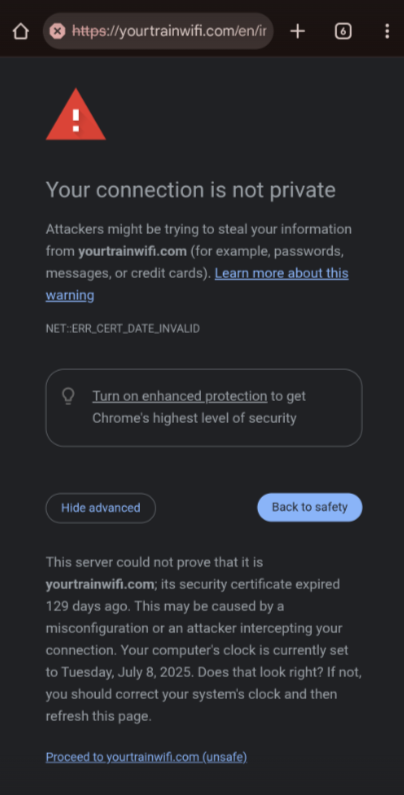
Thank you for your patience as we work through these issues. We expect to have them resolved in the next few days.
|