ACLL Events & News
June 15, 2022
|

Elder Abuse: Prevention, Detection, and Correction
Wednesday, June 22
12 - 1
Free virtual online event
1 hour participatory MCLE credit
 |
|
Program Description
Elders are often particularly vulnerable -- not only to physical abuse and neglect but also to financial abuse which may be less visible but still devastating. According to the California State Controller’s office, the number of people in the state who are 65 and over is expected to more than double by 2060. This is an issue likely to affect everyone in the coming years.
This program will examine the various forms of elder abuse, how to recognize warning signs, and resources for assistance. The Alameda County District Attorney’s Office Elder Prevention Unit — what it is and its role in addressing cases of elder abuse/exploitation — will also be discussed. Time will be set aside for a question-and-answer period at the end of the presentation.
About the Speaker
Cheryl Poncini has been a Deputy District Attorney with the Alameda County DA’s office for almost 45 years and is currently assigned to the Elder Protection Unit. She designs and provides training to law enforcement and other professionals regarding elder abuse, and frequently gives informational presentations to the community to raise awareness. She is a past president of the Alameda County Bar Association, serving nine years on that board. She also served four years on the board of ACBA’s Volunteer Legal Services Corporation (now known as Legal Access Alameda).
Register via Eventbrite to receive a link.
Program flyer available - HERE
|
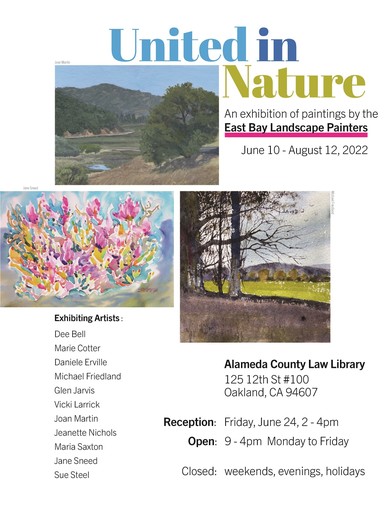
 New art show at ACLL
Working with the California Courts' Judicial Council forms
More and more legal information resources are becoming available for downloading off the internet. Whether you are using a free or subscription site, if you are drafting legal documents, you need to think about the interaction of the different software that you need to use to download, edit, print, and/or save text. Text that is found in a PDF may not be editable or you may not be able to even copy it when using certain browsers.
The essential California Judicial Council forms found on the California Courts website have special software requirements. The California Courts Self-Help Guide pages provide information for site users here - "Saving, Filing, and Printing PDFs" - and here - "Using Fillable Forms". The guide warns you not to use the browser when editing a form but download the PDF first. You may find after all your hard work that you cannot print or save a form edited directly on a browser screen.
To use the fillable forms, you need Adobe® Acrobat® Reader versions 9 or higher. The Adobe Reader software can be downloaded to your personal computer free here - https://get.adobe.com/reader/ .
ACLL has Adobe Reader available on the public research computers. Before beginning to edit a Judicial Council form, use the save icon (right top, an image of the square, old-fashion portable storage device) to download the document as a PDF using Adobe. You will then see the small icon labelled "PDF" towards the left of the top of the screen. After making your edits, you can print or save the document to your personal storage device or flash drive. The ACLL public computers do not retain any documents from a research session. Once the session is closed, the history and documents are wiped from the device.
Questions?? Contact the Reference Desk by email or phone 510.208.4832
You can find and like ACLL on Facebook, follow us on Twitter
|