 Report Changes in Our Household
EMPLOYMENT CHANGES: Mesa Housing calculates your employment income using your four (4) most recent consecutive pay stubs OR letter from your new employer.
➡️ If you were recently hired and do not yet have four pay stubs, please request the following information from your new employer:
- Date of hire
- Hourly pay rate
- Anticipated number of hours per week
➡️ If your job is terminated, Mesa Housing must verify this. Please request written documentation from your employer stating your official termination date.
Reporting Requirements
⚠️ All changes must be reported in writing on a Change Form within 10 days of the change.
Before sending any deposit for a rental, especially in Section 8 housing, it’s crucial to verify the identity of the landlord or property manager. Scammers often pose as legitimate landlords to trick prospective tenants into sending money for non-existent properties. Always request official identification, confirm ownership through public property records, and if possible, meet in person or conduct a video call. Mesa Housing Authority can also help confirm if a unit is registered and approved. Taking a few extra steps now can save you from financial loss and the stress of falling victim to fraud.
 NEED TO SEND YOUR ANNUAL APPLICATION, CHANGE REPORT, OR A DOCUMENT TO YOUR HOUSING SPECIALIST AS A PDF?
There’s an App for That!
If you've been asked to send a document in PDF format rather than a picture but aren’t sure how, don’t worry—it’s easier than you think. Most smartphones can help you do this quickly with the right app. Just head to your device’s app store (like the App Store for iPhones or Google Play for Android devices) and search for a PDF scanner or PDF converter.
These apps can:
- Scan physical documents using your phone's camera
- Convert photos or files (like Word or Excel) into PDF format
- Combine multiple pages into one PDF
- Share the PDF via email, text, or cloud services
Popular apps include Adobe Scan , CamScanner, Genius Scan, and Microsoft Lens, but choose one that works best for your device and needs.
Give it a try, you’ll be happy you did.
LANDLORDS: MISSING A RENTAL PAYMENT?
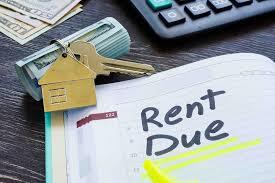
Are you a landlord or leasing company currently renting to Housing Choice Voucher participants through the Mesa Housing Authority (MHA)? If you're seeking information about a late or missed payment, we’re here to help.
MHA offers a Landlord Portal that provides access to a wide range of valuable information related to your tenants who receive housing assistance. Through the portal, you can conveniently view:
- Direct deposit statements
- Inspection details
- Newsletters
- Relevant forms
To access the portal, simply log in through the designated platform at Log In.
For guidance on how to use the portal, please refer to the Partner Portal Training Guide available here:
Partner Portal Training PDF
|
REMINDER FOR LANDLORDS:
If you plan to increase the rent after the initial lease term ends, you must submit a Rent Increase Request Form at least 60 days before the proposed effective date.
The form must be completed in full and submitted to our office. Incomplete forms will be returned and will not be processed.
Also required is documentation for three comparable, non-assisted properties within the same ZIP code, demonstrating rental prices and similar amenities.
Rent increases cannot take effect until you receive official, written approval from MHA confirming that your request has been reviewed and approved. You will receive a written decision regarding the request from the assigned housing specialist.
Landlords -Section 8 Housing Choice Voucher - City of Mesa
|